
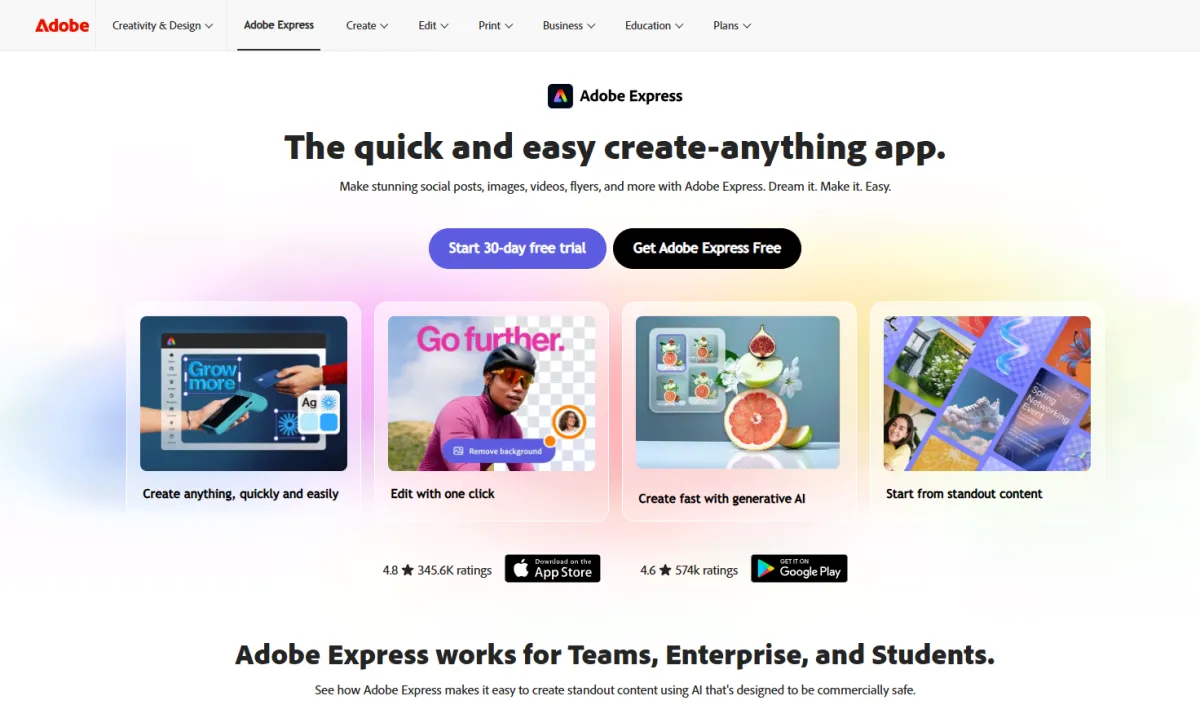
Adobe Express Overview
| Feature | Details |
|---|---|
| Tool Type | All-in-one design platform (Logo, social media, video, PDF) |
| Best For | Adobe ecosystem users, small creative teams, marketers |
| AI Features | Adobe Firefly generative AI (text effects, image generation, background removal) |
| Template Library | Thousands of professional logo templates + 200M+ Adobe Stock assets |
| Logo Tools | Guided logo workflow (input brand name, industry, style preferences) |
| Starting Price | $0 (Free version, basic templates) |
| Paid Plans | Premium: $9.99/mo |
| Export Formats | PNG, JPG, MP4 (animated logos) |
| Vector Export | ❌ No SVG/EPS export on any plan |
| Commercial Use | ✅ Included (Premium and above) |
| Platforms | Web, iOS, Android |
What Makes Adobe Express Different
Adobe Express is not just another AI logo generator—it is a logo entry point for a brand content machine.
1. Seamless Adobe Ecosystem Integration
This is the core differentiator of Adobe Express:
- Illustrator Linkage—Logos created in Express can be opened directly in Illustrator for professional-grade vector editing (requires a separate Illustrator subscription, $23/month)
- Creative Cloud Sync—Logo assets are automatically available across all Adobe apps (Photoshop, Premiere Pro, InDesign)
- Font Library—Premium users get access to 30,000+ professional Adobe Fonts
- Stock Assets—200M+ royalty-free photos, videos, icons, and music
If you are already paying for Creative Cloud, Express is a free value-add. But if you only want a logo, this "ecosystem depth" becomes "ecosystem lock-in."
2. Powered by Adobe Firefly AI
Adobe's Firefly generative AI model provides a suite of AI tools for Express:
- Text Effects—Type "neon tube effect," and the AI generates stylized text directly
- Generative Fill—Intelligently expand or replace elements in images
- Background Removal—One-click transparency
- Template Generation—Automatically create templates based on your requirements
Firefly's commercial safety is a unique selling point—Adobe explicitly promises that assets generated by Firefly will not infringe on third-party copyrights and provides IP indemnification (Enterprise plan).
3. Animated Logo Export
Express supports exporting logos as MP4 animations—perfect for video intros, social media, and website hero sections. Most dedicated logo tools lack this feature.
4. Team Collaboration
The Teams plan ($4.99/user/month) offers shared brand kits, 1TB of shared storage, an admin console, and template locking to prevent brand inconsistency.
The Process of Creating a Logo in Adobe Express
Step 1: Enter the Logo Maker
Select the "Logo" category from the Express homepage to enter the guided workflow.
Step 2: Input Brand Information
Brand name, industry/niche, slogan (optional), and style preferences (modern, minimalist, vintage, tech, etc.).
Step 3: Browse Generated Concepts
Express matches designs from its template library based on your input—note that this is not AI generation, but template matching. You are seeing pre-made designer templates, not unique concepts created by AI after understanding your brand.
Step 4: Custom Editing
Use the drag-and-drop editor to adjust colors, fonts, and layout, replace icons (from the Adobe Stock shared library—meaning your logo icon may be the same as other users'), and add text effects.
Step 5: Export
Export as PNG (high resolution), JPG, or MP4 animation. To get an SVG vector file, you must open it in Illustrator for conversion.
Adobe Express vs. Competitors
| Comparison | Adobe Express | Design.com | Canva | LOGO.com |
|---|---|---|---|---|
| Dedicated Logo Tool | Moderate | Excellent ✅ | Moderate | Excellent ✅ |
| AI Logo Gen | ❌ Template matching | ✅ Conversational AI | ⚠️ Template-driven | ✅ Dedicated AI |
| Template Count | Thousands | 500k+ ✅ | 250k+ | Abundant |
| Vector Export (SVG) | ❌ Needs Illustrator | ✅ Free+Paid | ✅ Pro | ✅ Paid |
| Animated Logo | ✅ MP4 | ✅ MP4 | ✅ MP4 | ❌ |
| Font Library | 30,000+ ✅ | Abundant | 3,000+ | Basic |
| Free Version Utility | ⚠️ Limited | ✅ Vector download | ⚠️ Limited | ✅ Commercial use |
| Paid Plans | $9.99/mo | $3/mo ✅ | $18/mo | $10/mo |
| Learning Curve | Moderate | Low ✅ | Low | Low |
Pricing Breakdown
| Plan | Price | Best For | Key Features |
|---|---|---|---|
| Free | $0 | Exploration | Basic templates, 5GB storage, PNG/JPG export |
| Premium | $9.99/mo | Individuals/Small Teams | 250 AI credits/mo, 100GB, Brand Kits, All templates |
| Teams | $4.99/user/mo | Team Collaboration | Shared Brand Kits, 1TB, Admin console |
| Enterprise | Custom | Large Organizations | IP Indemnification, AEM integration, 24/7 support |
Hidden Cost Warning
The price tag of Adobe Express Premium ($9.99/month) seems reasonable, but there are key hidden costs: vector files require Illustrator ($23/month extra, total $33/month); AI generation credits are limited (250/month for Premium); and icons are from a shared library (your logo icon is not unique).
Real User Feedback
- "If you are already using Creative Cloud, Express is a great all-in-one tool—from logos to social media posts in one go." — Verified Capterra user
- "Firefly's text effects are stunning, and the auto-generated brand templates save a lot of time." — Software Advice review
- "The brand kit locking feature in the Teams plan is very useful for ensuring team consistency." — G2 review
- "The fact that you can't export SVG files is ridiculous—a basic feature is missing." — Trustpilot user
- "The logo templates are too generic; it's only a matter of time before you run into another brand using the same icon." — Reddit r/logodesign
Pros and Cons
Pros
| Advantage | Why it matters |
|---|---|
| Adobe Ecosystem Integration | Seamless workflow with Illustrator/Photoshop |
| Firefly AI Text Effects | Commercially safe and visually impressive |
| Animated Logo Export | MP4 format is great for video and social media |
| 30,000+ Professional Fonts | Massive creative freedom for branding |
| Team Collaboration Tools | Shared brand kits and template locking |
| IP Indemnification | Legal protection provided by Enterprise plan |
Cons
| Disadvantage | Explanation |
|---|---|
| No SVG Export | No vector export on any plan; requires extra Illustrator sub |
| Not an AI Logo Generator | Template matching, not AI creation; icons are not unique |
| High Hidden Costs | Full solution (Express + Illustrator) = $33/month |
| Performance Issues | Laggy with large files, unstable syncing |
| Subscription Only | No one-time purchase option |
| Shared Icon Library | Logos may be duplicated by others |
Ideal User Profile for Adobe Express
Adobe Ecosystem Users (Perfect Match): Already paying for Creative Cloud. Need an end-to-end workflow from logos to social media posts to video covers. Value Firefly's commercial safety and IP indemnification.
Small Marketing Teams (Good Match): Need team collaboration, brand consistency control, and template locking. The $4.99/user/month pricing for the Teams plan is attractive. Just be aware of the vector export limitations.
Entrepreneurs Only Needing a Logo (Poor Match): Just want a logo and don't want to enter the Adobe ecosystem. Design.com ($3/month, SVG export) or LOGO.com ($10/month, unique AI icons) are better choices.
Frequently Asked Questions
Is Adobe Express an AI logo generator?
Does Adobe Express support SVG export?
Is the free version of Adobe Express sufficient?
Is Adobe Express better than Canva for logo design?
Does Adobe Express include commercial licensing?
Are there copyright issues with assets generated by Adobe Firefly?
Final Verdict
Adobe Express is a powerful all-in-one design platform, but its performance in logo creation depends on your starting point. If you are already in the Adobe ecosystem, Express is a natural value-add. Firefly AI's text effects, the 30,000+ font library, and seamless integration with Illustrator are genuine advantages. If you only need a logo, Express is too complex and expensive. The lack of SVG export is its most fatal flaw.
Bottom line: Adobe Express is a "Swiss Army knife for designers," but for the single task of logo creation, it is not as sharp as dedicated tools.