Quick Verdict
If you're torn between several AI logo generators, this article won't give you a single "best" answer—because no single tool leads in every capability.
Instead, we evaluate these five tools based on four critical performance dimensions: Typography, Vector Output, Brand Kit Completeness, and Cost-Effectiveness. The results are clear:
- Typography-Focused → Ideogram (Unmatched text rendering accuracy)
- Need Editable SVG Source Files → Recraft V4 (The only tool that generates true, editable vectors)
- Need a Complete Brand Asset Package → Brandmark (One-time payment, includes brand guidelines and full file sets)
- High-Volume, Budget-Conscious → LogoAI (Annual subscription, lowest cost per project)
- Zero-Budget Validation → Hatchful (Completely free, perfect for concept testing)
Below, we break down the comparison for each dimension and provide specific recommendations for your use case.
Why Compare by Capability?
Most logo tool reviews simply list "features" and provide a generic score. The problem with this approach is that it compares apples to oranges—a tool excelling in typography shouldn't be measured by the same yardstick as one designed for brand kits.
A more pragmatic approach is: Identify your primary need first, then choose the tool that dominates in that specific dimension.
We have selected five key capability dimensions:
| Capability | Why It Matters | Best For |
|---|---|---|
| Typography/Wordmark | The core of many brand identities | Wordmark-based brands, SaaS, Law, Consulting |
| SVG/Vector Output | Essential for scaling to billboards or business cards | Printing, embroidery, large-format display |
| Brand Kit Completeness | A logo is just the start; you need colors, fonts, etc. | Launching brands needing full assets |
| Cost-Effectiveness | Tool costs impact long-term operations | Startups, freelancers, multi-project needs |
Capability 1: Typography/Wordmark Rendering — Winner: Ideogram
Wordmark and Lettermark logos are among the most common brand identifiers. SaaS companies, law firms, and media brands rely heavily on text-based logos. For these, AI's ability to render text correctly is the deciding factor.
Performance Comparison
Ideogram is the clear leader here. Its core advantage is optimization for text rendering—the 3.0 model renders readable text with approximately 90% accuracy. In contrast, most general-purpose AI image generators (including Midjourney and DALL-E) typically hover between 30%-50% accuracy.
In practice, Ideogram generates wordmarks with clear brand names, offering styles ranging from serif to sans-serif, and minimalist to decorative. It is particularly well-suited for rapidly exploring stylistic directions—you can produce dozens of font and layout variations in an hour.
Recraft V4 is competitive in typography and offers the added benefit of vector output (see next section). However, for pure text accuracy and stylistic diversity, Ideogram remains ahead.
Brandmark and LogoAI, as dedicated logo tools, offer solid but standard text handling. They rely more on pre-set templates than real-time AI generation, resulting in less freedom regarding font details and stylistic nuance compared to Ideogram.
Hatchful's text options are limited to its template library, which is narrow, though the base quality is acceptable.
Capability Summary
| Tool | Text Accuracy | Style Diversity | Best for Wordmarks |
|---|---|---|---|
| Ideogram | ★★★★★ | ★★★★★ | ✅ Best Choice |
| Recraft V4 | ★★★★☆ | ★★★★☆ | ✅ Recommended |
| Brandmark | ★★★☆☆ | ★★★☆☆ | ⚠️ Usable but limited |
| LogoAI | ★★★☆☆ | ★★★☆☆ | ⚠️ Usable but limited |
| Hatchful | ★★☆☆☆ | ★★☆☆☆ | ❌ Not recommended |
Key Tip: Ideogram outputs raster images (PNG/JPG), not vector files. If you need editable vector source files, you will need to use a vectorization tool (like Vectorizer.ai) or use Recraft V4 directly.
Capability 2: SVG/Vector Output — Winner: Recraft V4
This is the dimension with the widest performance gap. Most AI logo tools output raster PNG/JPG files—fine for web use, but insufficient for billboards, professional printing, or editing in Illustrator.
Performance Comparison
Recraft V4 is currently the only AI tool that truly generates editable SVG vector graphics. The output can be imported directly into Illustrator, Figma, or Affinity Designer with clean paths and independent layers. This isn't just a "PNG wrapped in an SVG shell"—it is true path-level vector output.
Recraft also offers brand color storage, ensuring consistency across generations. For users with design experience, this means you can use the AI-generated vector as a foundation and refine it in professional software.
The other four tools rely on external vectorization workflows:
- Ideogram / Brandmark / LogoAI output PNG → Requires Vectorizer.ai or manual tracing
- Hatchful only provides PNG downloads
If you anticipate needing to print business cards, signage, uniforms, or use your logo on non-screen media, SVG vector output is a necessity, not a luxury.
Capability Summary
| Tool | SVG Output | Editable Paths | Direct Import |
|---|---|---|---|
| Recraft V4 | ✅ Native | ✅ Full Paths | ✅ Figma/Illustrator |
| Ideogram | ❌ | ❌ | Needs vectorization |
| Brandmark | ⚠️ Paid plan includes AI SVG | ⚠️ Variable quality | ⚠️ Partially usable |
| LogoAI | ❌ | ❌ | Needs vectorization |
| Hatchful | ❌ | ❌ | Needs vectorization |
Key Tip: Brandmark's Designer ($65) and Enterprise ($175) plans include SVG/EPS downloads, but these are AI-generated vectors with path quality inferior to Recraft V4's native output. If you require high precision (e.g., for strict brand scaling), prioritize Recraft.
Capability 3: Brand Kit Completeness — Winner: Brandmark
A logo is not a brand. A launch-ready brand requires: logo variations (horizontal, vertical, icon-only), color palettes, font pairings, and basic brand guidelines. This dimension measures what the tool provides beyond just the logo.
Performance Comparison
Brandmark is the most comprehensive in this category. Its Designer plan ($65 one-time) includes:
- Logo Source Files: SVG, EPS, PDF, PNG (various sizes)
- Brand Style Guide: Color palettes, font recommendations, usage rules
- Brand Asset Templates: Business cards, letterheads, social media avatars, Favicon
- AI Color Wheel: Automatically generates a complete color system
- Logo Rank: AI scoring system to evaluate readability, contrast, and uniqueness
Crucially, Brandmark uses a one-time payment, lifetime editing model. You don't have to worry about losing access once a subscription expires—a vital feature for brand assets that are "made once, used for years."
LogoAI also offers decent brand kit capabilities, but its value lies in its annual subscription model for multiple projects (see next section), with less depth per individual project than Brandmark.
Recraft V4, while superior in vector output, treats brand kit features (color storage) as design aids rather than a full delivery package. Ideogram is strictly an image generator with no brand kit concept. Hatchful provides basic social media assets, but with limited depth.
Capability Summary
| Tool | Style Guide | Color System | Stationery | Social Pack | Payment Model |
|---|---|---|---|---|---|
| Brandmark | ✅ | ✅ AI Color Wheel | ✅ | ✅ | $65 One-time |
| LogoAI | ⚠️ Basic | ✅ | ⚠️ Partial | ✅ | Annual Sub |
| Recraft V4 | ❌ | ✅ Color Storage | ❌ | ❌ | From $10/mo |
| Ideogram | ❌ | ❌ | ❌ | ❌ | $20/mo |
| Hatchful | ❌ | ❌ | ❌ | ⚠️ Basic | Free |
Capability 4: Cost-Effectiveness & Multi-Project Needs — Winner: LogoAI
If you aren't just making one logo, but need to produce logos for multiple projects (clients, new product lines, sub-brands) annually, unit cost becomes the most important metric.
Performance Comparison
LogoAI is specifically designed for this with its annual subscription model. A single annual fee allows for unlimited logo projects, with 40+ initial concepts per project. For freelance designers, small agencies, or serial entrepreneurs, the cost per project is the lowest among all tools.
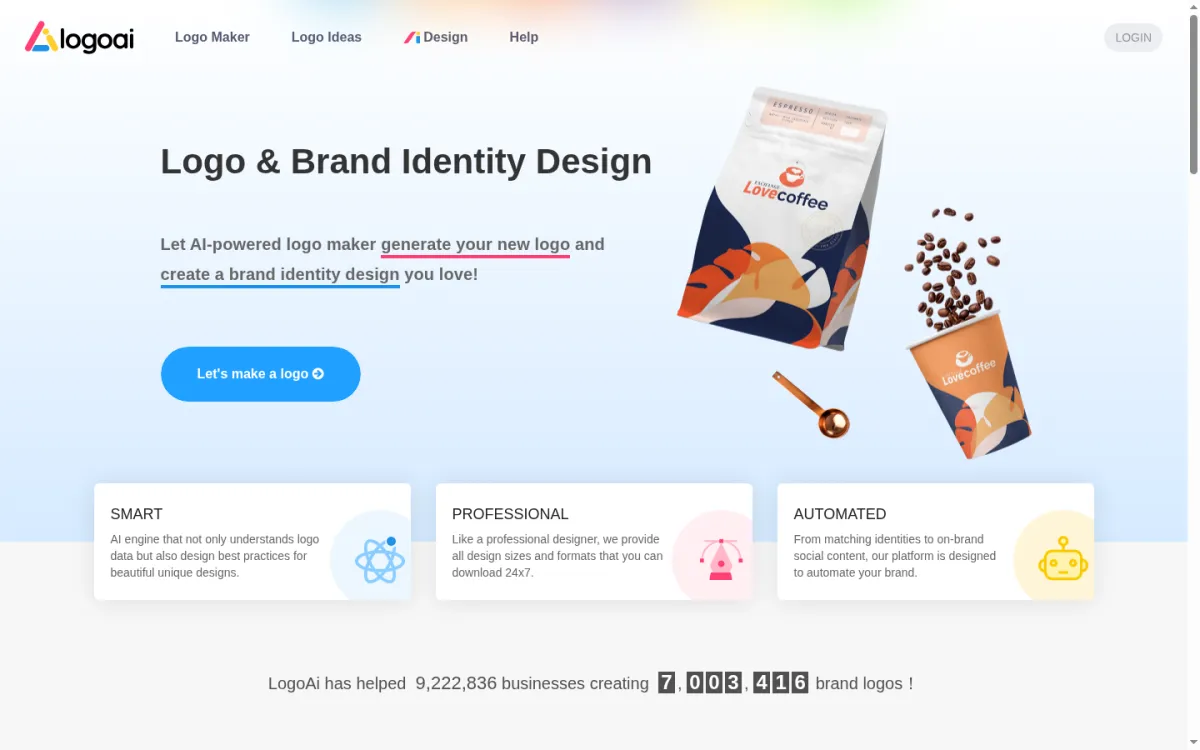
In testing, a single brief input into LogoAI yielded 40+ concepts, with about 6 worth further refinement. This "breadth of options" is crucial when you aren't just looking for "a logo that works," but "the right direction."
Price Comparison (Equivalent Cost per Project):
| Tool | Payment Model | Entry Price | Cost per Project (5/yr) |
|---|---|---|---|
| LogoAI | Annual Sub | ~$99/yr | ~$20/project |
| Brandmark | One-time | $65/project | $65/project |
| Hatchful | Free | $0 | $0 |
| Recraft V4 | Monthly Sub | $10/mo | ~$24/project |
| Ideogram | Monthly Sub | $20/mo | ~$48/project (Image only) |
Note: The equivalent cost per project accounts for "multiple generations and iterations." While Hatchful is free, there are caps on quality and customization.
LogoAI's Limitations: Its output quality is rated B (similar to Looka), lower than Brandmark's A-. You save on unit costs but compromise on peak quality. Additionally, LogoAI does not support one-time purchases; if you only need one logo, the annual subscription is not cost-effective.
The Free Baseline — Hatchful
Among the five, Hatchful is the only one that is completely free, and also the most limited. We include it not to compete with the others, but to provide a free baseline—so you know what you can achieve without spending a dime.
Hatchful (operated by Shopify) provides:
- Completely free logo generation and PNG downloads
- Industry-categorized template library
- Basic social media asset packs
- No SVG or vector files
Hatchful is best for: Concept validation—you have an idea and need a few drafts to discuss with your team or investors. Or, you're working on a small, non-scalable project (like a temporary event page) where a PNG logo suffices.
However, if your project is moving toward formal branding, Hatchful will become a bottleneck: it cannot be scaled, printed, or edited in design software. At that point, you will need to migrate to the professional tools discussed above.
Comprehensive Capability Matrix
Combining all dimensions, we get this capability matrix:
| Tool | Typography | SVG Vector | Brand Kit | Cost-Effectiveness | Best Scenario |
|---|---|---|---|---|---|
| Ideogram | ★★★★★ | ★☆☆☆☆ | ★☆☆☆☆ | ★★★☆☆ | Exploring Styles |
| Recraft V4 | ★★★★☆ | ★★★★★ | ★★☆☆☆ | ★★★★☆ | Pro Vector Output |
| Brandmark | ★★★☆☆ | ★★★☆☆ | ★★★★★ | ★★★☆☆ | Full Brand Delivery |
| LogoAI | ★★★☆☆ | ★★☆☆☆ | ★★★★☆ | ★★★★★ | Low-cost Multi-project |
| Hatchful | ★★☆☆☆ | ★☆☆☆☆ | ★★☆☆☆ | ★★★★★ | Free Concept Validation |
Recommendations by Scenario
After reading the analysis, you likely aren't in a "pick one of five" mindset anymore. Here is a scenario-based summary:
Scenario A: I'm building a SaaS product, and the logo is just the company name
→ Ideogram + External Vectorization. Use Ideogram to generate a high volume of wordmark concepts. Once you find the right direction, use Vectorizer.ai or hire a designer for vector refinement. Total cost: ~$20 (Ideogram monthly fee) + vectorization costs.
Scenario B: I'm a designer, and the client needs deliverable source files
→ Recraft V4 (Advanced $27/mo). Generate vector logos directly in Recraft, export as SVG, and refine in Illustrator/Figma. Efficiency gains are significant. Five client projects per month easily cover the cost.
Scenario C: I'm launching a formal brand; I need a logo, business cards, and colors in one go
→ Brandmark Designer ($65 one-time). Pay once, get the full brand asset suite. No recurring subscriptions, and you can return to edit the logo anytime. Perfect for brands that are "made once, used for years."
Scenario D: I'm a freelancer frequently making logos for clients
→ LogoAI Annual Subscription + Recraft V4. Use LogoAI for concept exploration (high volume) and Recraft for final vector delivery (high quality). Combined annual cost is ~$220-320, but you can serve 20+ client projects.
Scenario E: I just have an idea and want to see what a logo might look like
→ Hatchful (Free). Validate your direction without spending money. Once you've settled on a style preference, consider upgrading to a paid tool.
A Trend to Watch
In the second half of 2026, AI logo tools are seeing a clear divergence:
- General AI Image Tools (Ideogram, Recraft) are advancing rapidly in typography and vector output, encroaching on traditional logo tool territory.
- Professional Logo Tools (Brandmark, LogoAI) are doubling down on brand kits, color systems, and the complete "logo-to-brand" workflow.
This divergence means the choice is no longer just "which tool is better," but "do you need a logo generator, or a brand workstation?"
If your answer is closer to the former, Ideogram or Recraft will suffice. If it's the latter, Brandmark or LogoAI are more logical choices. If your budget is zero, Hatchful will at least get you started.
Final Reminders
Regardless of the tool you choose, keep these three things in mind:
- Commercial Licensing: Terms vary significantly. Hatchful is free for commercial use; check the commercial rights for Ideogram's free tier; Recraft's free tier outputs are public by default, which is unsuitable for commercial brands. Always read the licensing terms before official use.
- Trademark Search: AI-generated logos may resemble existing trademarks. We recommend performing a basic search in your target market's trademark database once you finalize your design. AI tools will not do this for you.
- When to Involve a Designer: AI logo tools handle the "0 to 80" rapid exploration phase. If you need a 90+ result (e.g., brand refresh, investment-grade pitch deck, high-end packaging), we recommend bringing in a designer for final refinement and brand standardization after the AI produces your candidate designs.