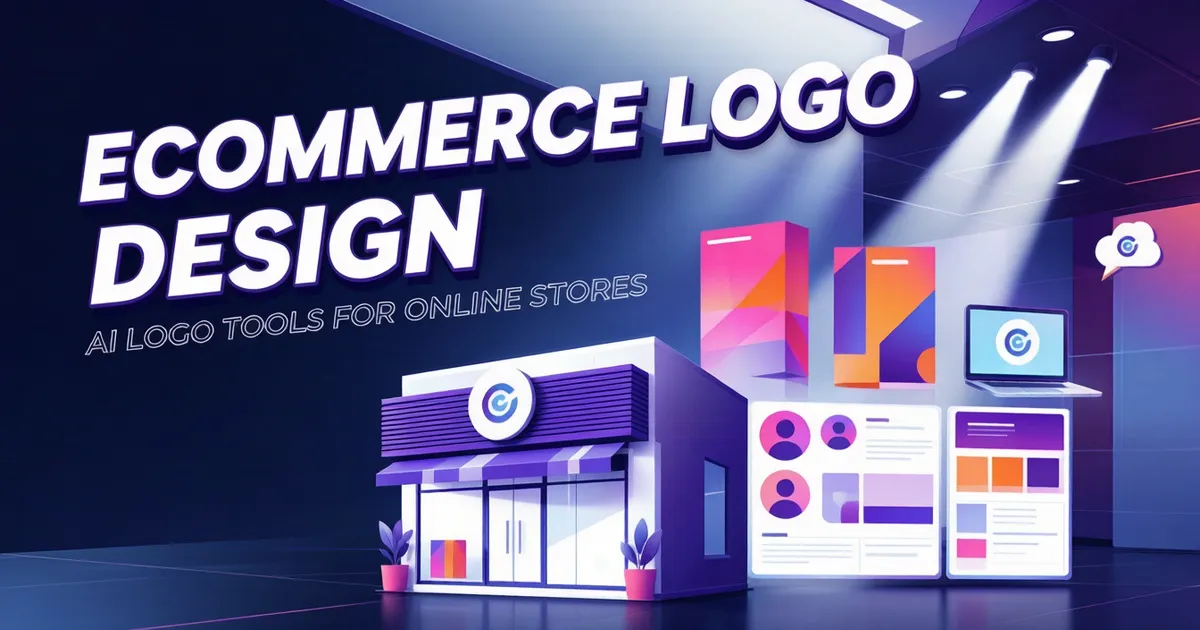
In e-commerce, a logo is more than just a pretty graphic. It needs to appear on your storefront homepage, product image watermarks, social media avatars, product packaging, and favicons, all while ensuring full commercial licensing compliance. While a regular logo just needs to look good, an e-commerce logo must remain crisp and readable across dozens of different sizes.
Rooted in the unique demands of e-commerce, this article breaks down design principles, sizing specifications, color strategies, and commercial licensing essentials. We will also compare 7 AI logo generators tailored for e-commerce sellers and provide a complete step-by-step workflow from design to launch.
How E-Commerce Logos Differ From Regular Logos
While a standard logo might only need to appear on business cards and website headers, e-commerce logos face a much more complex set of use cases. Three key differences stand out.
Multi-Platform Adaptation Requirements
An e-commerce seller's logo must simultaneously appear in over a dozen places: independent store homepages, mobile storefronts, Amazon product pages, Taobao shop headers, Instagram avatars, Facebook profile pages, TikTok accounts, product packaging, hangtags, email signatures, and product image watermarks. Each scenario demands different sizes, aspect ratios, and background colors.
This means your logo cannot look good at just a single size; it must maintain instant recognition all the way from a tiny 16×16 favicon to a multi-meter-wide banner poster.
Small-Size Clarity
In e-commerce, the sizes where your logo appears most frequently are actually quite small: a 16×16 pixel favicon, a social media avatar around 100×100 pixels, or a watermark in a product thumbnail that might only measure a few dozen pixels.
If your logo has too many details or lines that are too thin, it will blur into an indistinguishable blob when scaled down, completely destroying its recognition value. A qualified e-commerce logo retains its general shape even at favicon dimensions.
The Nuances of Commercial Licensing
Using a logo in e-commerce is a quintessential commercial use case, spanning multiple dimensions like product packaging, ad campaigns, and trademark registration. Logos generated by free tools often lack complete commercial licenses or carry restrictions on their scope of use.
Crucially, the free tiers of some tools only permit personal, non-commercial use, requiring e-commerce sellers to upgrade to paid plans to secure commercial rights. When choosing a tool, licensing terms must be your top priority.
4 Core Principles of E-Commerce Logo Design
The core criteria for a great logo are Relevance, Simplicity, and Versatility. Applied to e-commerce, these break down into 4 key principles.
Simplicity: The Simpler, the Easier to Remember
E-commerce logos face fast-scrolling users who swipe past product listings on their phones in a heartbeat. A logo must be recognized within 1 second.
Simplicity doesn't mean crude; it means stripping away all non-essential details. If a single line can express it, don't use two; if one graphic element suffices, don't pile on two.
Relevance: Tie It to Your Niche
Your logo should give users a rough idea of what you sell. For instance, pet supplies can feature animal elements, coffee brands can incorporate cup or bean shapes, and tech accessory stores can use strong geometric lines.
However, maintain a balance: too literal can look cheap, while too abstract loses category recognition. E-commerce logos typically strike a middle ground between the two.
Memorability: Recognizable at a Glance
If a user browses your store for 10 seconds and closes the tab, can they still remember what your logo looks like? That is memorability.
Memorable logos usually feature a unique hook: a distinctive shape, an uncommon color palette, or clever negative space design.
Versatility: Looking Good Across All Sizes and Scenarios
This is the most important yet most overlooked rule for e-commerce logos. Versatility means it must:
- Look sharp against both black and white backgrounds
- Remain recognizable when shrunk down to a favicon
- Look great printed on packaging boxes and fabrics
- Adapt smoothly to both horizontal and vertical layouts
Testing is simple: shrink your logo to 32×32 pixels and see if it is still recognizable. If not, it needs to be simplified.
Common Types of E-Commerce Logos and Their Use Cases
Logos generally fall into three categories: logotypes (wordmarks), pictorial/abstract marks (graphic symbols), and combination marks. Each type suits different e-commerce scenarios.
Wordmark: Best for Stores with Distinctive Brand Names
Wordmarks use the brand name as the primary focus, conveying brand personality through custom typography.
- Ideal for: Short, memorable brand names, DTC (direct-to-consumer) brands, and names with unique meanings.
- Pros: Directly reinforces brand name recall and keeps design costs low.
- Cons: Readability drops at small sizes; weak effectiveness in cross-lingual markets.
If you are targeting the English-speaking market in cross-border e-commerce, wordmarks are a safe bet. Note, however, that AI tools generally yield less consistent results for Chinese typography logos than for English ones.
Pictorial / Abstract Marks: Ideal for Cross-Border, Multi-Lingual Markets
Graphic marks rely purely on imagery as a brand symbol without depending on text. Pictorial marks are simplified real-world objects, while abstract marks are combinations of geometric shapes.
- Ideal for: Cross-border e-commerce targeting global, multi-lingual markets, or brands with hard-to-pronounce or non-visualizable names.
- Pros: Strong cross-lingual communication power and high recognition at small sizes.
- Cons: Difficult for new brands to build recognition using graphics alone; requires long-term investment.
For global e-commerce, graphic symbol logos are often more effective than pure text logos because they do not rely on any alphabetical writing system.
Combination Marks: The Most Popular Choice for E-Commerce
Combination marks merge text and graphics, allowing them to be used together or separately.
- Ideal for: The vast majority of e-commerce brands, especially new ones.
- Pros: Combines text-based brand recall with graphic visual anchor points; highly flexible across scenarios.
- Horizontal: Great for store header navigation.
- Vertical: Perfect for social media avatars and packaging.
- Icon-only: Ideal for favicons and watermarks.
Combination marks are the most practical choice for e-commerce sellers. It is recommended to prepare horizontal, vertical, and icon-only versions right from the design stage.
How to Choose Colors for Your E-Commerce Logo
Color forms the first impression of your logo and directly influences how users perceive your brand.
Basics of Color Psychology
Different colors evoke distinct emotional associations:
- Red: Passion, urgency, sales events—ideal for stores with frequent discounts and promotions.
- Blue: Trust, professionalism, technology—great for electronics, finance, and SaaS.
- Green: Nature, health, eco-friendliness—suited for food, home goods, and outdoor gear.
- Orange: Energy, friendliness, value—ideal for mass-market consumer goods.
- Black: Premium, luxury, minimalism—best for high-end fashion, cosmetics, and luxury goods.
- Pink: Softness, femininity—perfect for cosmetics, women's apparel, and baby products.
These are general associations; specific impacts can vary across cultures and product categories.
Cultural Color Differences in Cross-Border Markets
When running a cross-border e-commerce business, cultural nuances in color cannot be ignored. The exact same color can carry completely opposite meanings in different cultures.
- White: Represents purity and weddings in Western cultures, but traditionally associated with mourning in parts of East Asia.
- Red: Symbolizes fortune and celebration in Chinese culture, yet links to death in certain African nations.
- Yellow: Denotes nobility in many East Asian countries, but carries negative connotations in parts of the Middle East.
- Green: A sacred color in Islamic culture, but tied to jealousy in some Western nations.
If your target market is global, carefully select colors that avoid strong negative associations in your primary markets.
Color Palette Recommendations for E-Commerce Logos
It is recommended to limit your e-commerce logo to 3 primary colors maximum: one dominant color, one secondary accent, and one neutral (black/white/gray).
Consider these approaches for your color palette:
- Monochromatic: Using shades and tints of a single color—the cleanest and most versatile option.
- Two-Tone Contrast: Primary color + complementary accent—delivers strong visual impact, great for brands needing bold personality.
- Monochromatic Gradient: Tonal shifts within the same hue—feels modern and suits tech-forward brands.
Here is another practical tip: ensure your logo looks great in black and white first, then add color. If the monochrome version is already highly recognizable, adding color will only make it better.
E-Commerce Logo Sizes & Export Formats Quick Reference
Given the variety of e-commerce channels, size requirements differ everywhere. Below is a spec reference guide for common scenarios. Always check the latest official documentation of the respective platforms before actual deployment.
Common Sizes Reference Table
| Scenario | Recommended Size | Format | Notes |
|---|---|---|---|
| Shopify Store Header Logo | 250×80px ~ 500×160px | PNG / SVG | Recommended height 80–120px, width auto-adjusts |
| Favicon | 32×32px (displays at 16×16 actual) | ICO / PNG | Must use the icon-only version |
| WeChat Official Account Avatar | 240×240px | JPG / PNG | Displayed as a circle; keep key elements within the center circle |
| Instagram Avatar | 320×320px | JPG / PNG | Displayed as a circle |
| Facebook Page Avatar | 360×360px | JPG / PNG | Displayed as a circle |
| TikTok Avatar | 200×200px | JPG / PNG | Displayed as a circle |
| YouTube Channel Avatar | 800×800px | JPG / PNG | Displayed as a circle |
| Amazon Brand Store Logo | Approx. 300×100px | PNG | Subject to seller central requirements |
| Taobao Store Banner Logo | Recommended ≤ 200px height | PNG | Embedded within the banner image |
| Product Image Watermark | 50–150px width | PNG (transparent background) | Placed in corner, 30%–50% opacity |
| Product Packaging Print | 300 DPI vector source file | SVG / PDF / AI | Vector formats are mandatory for printing |
Note: The sizes above are common reference values. Platform guidelines update frequently; please verify with the official help center of each platform prior to launch.
Essential File Formats
No matter which tool you use, you should ultimately secure at least the following formats:
PNG (Transparent Background)—The staple format for websites, social platforms, and product image watermarks. Make sure you have both transparent and white-background versions.
SVG (Vector)—Can be scaled infinitely without pixelation, used for product packaging, print materials, and large banners. Logos lacking vector files are severely limited in e-commerce applications. For more details on vector exports, check out this AI Logo SVG Vector Export Guide.
PDF (Print)—The standard format handed over to printing houses, typically vector-based and ready for packaging, hangtags, and business card printing.
JPG (White Background)—Used for platforms or email environments that do not support transparent PNGs.
7 AI Logo Generators Compared for E-Commerce
Evaluating from an e-commerce suitability perspective, here is a comparison of 7 common AI logo generation tools across dimensions including e-commerce template richness, output formats, commercial licensing, brand kit support, and ideal target audience.
Note: The following information is organized based on publicly available feature pages of each tool. Specific licensing terms and pricing may change over time; please refer to official pages before purchasing. For pricing and long-term cost comparisons across tools, check out 18 AI Logo Generators Priced & Compared: SVG, Brand Kits.
Tool Comparison Overview Table
| Tool | Starting Price | E-Commerce Templates | Output Formats | Commercial License | Brand Kit | Best For |
|---|---|---|---|---|---|---|
| Looka | Paid plans start | Many, finely categorized | PNG / SVG / PDF | Included in paid plans | Includes brand kit | Independent sellers wanting a complete brand system |
| BrandCrowd | Free trial available | Rich e-commerce categories | PNG / SVG / PDF | Included in paid plans | Basic brand collateral | Sellers needing heavy e-commerce template reference |
| Adobe Express | Free available | Many templates | PNG / JPG / PDF (SVG in paid) | More complete in paid plans | Partial brand collateral | Sellers already in the Adobe ecosystem |
| Hatchful (Shopify) | Free | Categorized by e-commerce industry | PNG / Multi-size crops | Free commercial use available | Social media asset pack | Shopify sellers seeking quick solutions |
| Logo.com | Free version available | Has e-commerce categories | PNG / SVG (paid) | Included in paid plans | Includes brand kit | Budget-conscious beginner sellers |
| Logomakerr.ai | Free trial available | Fairly many templates | PNG / SVG / PDF | Included in paid plans | Includes brand collateral | Sellers wanting AI personalized generation |
| Canva | Free available | Extremely rich e-commerce templates | PNG / JPG / PDF / SVG (Pro) | Pro includes commercial license | Rich brand collateral | Sellers managing omni-channel assets |
Looka
Looka's selling point is its comprehensive brand kit: alongside the logo itself, it generates business cards, social media assets, brand guidelines, and more. Its logo generation flow asks for your industry and style preferences before churning out numerous concepts to choose from.
For e-commerce sellers, Looka's advantage lies in stellar brand consistency—you receive not just a logo, but a full suite of ready-to-use brand materials. The downside is its relatively high price point, requiring a paid plan to unlock commercial rights and vector files.
BrandCrowd
BrandCrowd features a massive library of ready-made logo templates filterable by industry (including multiple e-commerce subcategories). You can customize text, colors, and fonts on top of existing templates.
Its strengths are a vast template count, detailed e-commerce categorization, and ease of use. The downside is that template-based designs offer limited personalization, running the risk of resembling other stores.
Adobe Express
Adobe Express is Adobe's online design tool with built-in AI logo generation capabilities. The free tier exports PNG/JPG/PDF at a default 500×500px.
Its advantage is integration with the Adobe ecosystem, making it seamless to continue using the same tool for e-commerce graphics and social posts later. The free tier yields basic concepts, but vector exports and full commercial licensing require upgrading to a paid plan.
Hatchful (Shopify)
Hatchful is Shopify's free logo maker specifically categorized by e-commerce industries. Once generated, it automatically crops assets to various social platform dimensions.
Its advantages are being 100% free, simple to operate, and friendly to Shopify sellers. The downside is that design styles lean heavily toward templates, lacks SVG vector files, and offers limited brand uniqueness. Ideal for bootstrapped beginners starting out.
Logo.com
Logo.com offers AI logo generation paired with brand kit services, offering a free low-res version to try and unlocking high-res vector files and commercial licensing upon payment.
Its perks are a low price barrier and an intuitive workflow. The drawbacks are limited assets in the free tier and middle-of-the-road design quality.
Logomakerr.ai
Logomakerr.ai is an AI-driven logo generator that outputs a wide array of concepts after you input your brand name and industry, allowing for online editing.
Its advantage is a higher degree of AI personalization and easy editing. The downside is that brand asset variety falls short of mature tools like Looka, and commercial rights depend on the selected tier.
Canva
While Canva isn't a dedicated logo tool, its logo template inventory is enormous, and e-commerce sellers are likely already using Canva for primary product images and social graphics.
Its strengths include massive templates, integration with other e-commerce asset designs, and zero learning curve. The Pro version supports SVG exports and commercial licensing. The weakness is that logo originality and distinctness lag behind dedicated AI tools, making it best for sellers with design flair willing to DIY adjustments.
Selection Advice: If you just need a quick, usable logo → Hatchful or Canva Free. If you need a complete brand kit and vector files → Looka or BrandCrowd. If you are already in the Adobe ecosystem → Adobe Express. Budget-conscious sellers can check out 7 Truly Free AI Logo Generators.
Essential E-Commerce Commercial Licensing: Avoiding Infringement
Using logos in e-commerce is a quintessential commercial activity. You must clarify licensing terms when selecting tools to avoid copyright risks after your store takes off.
What Is a Commercial License?
Commercial licensing grants you the right to use your generated logo for business purposes. Business purposes include, but are not limited to: selling products, running ad campaigns, trademark registration, product packaging, and storefront decoration.
Many free tools' free tiers only permit "personal, non-commercial use." E-commerce sellers using logos generated under free tiers to run stores are technically operating outside the authorized scope.
What Licenses Do E-Commerce Scenarios Require?
E-commerce sellers should at least confirm the following points:
- Commercial Use Permit: Can be used for stores, products, advertising, and other commercial contexts.
- Trademark Registration Rights: Does the license permit registering the logo as a trademark? (Some tools exclude trademark registration rights).
- Product Printing Rights: Permitted for printing on product packaging, hangtags, and the physical product itself.
- Sublicensing Restrictions: Do you hold full copyright to the logo, or merely usage rights?
Licensing terms vary wildly between tools: some completely transfer copyright to you upon payment, others grant usage rights only, and others impose strict limits on the scope of use.
Common Pitfalls and How to Avoid Them
- Free Tier Commercial Traps: Many tools make free generation easy, but free versions lack commercial licenses. E-commerce deployment requires upgrading to a paid plan.
- Font Copyrights: Fonts used by certain AI logo tools may only be licensed for the tool itself. If you want to modify typography independently after receiving your logo, you may need to purchase separate font licenses.
- Graphic Element Copyrights: Graphical elements in template-based tools may belong to the tool or third-party asset libraries, meaning licensing scopes can vary.
- Trademark Registration Risks: Uncertainty surrounds whether AI-generated logos can successfully register as trademarks. If you plan to register a trademark, consult a professional intellectual property lawyer.
Step-by-Step: The Complete Workflow for AI-Generated E-Commerce Logos
Here is the complete process from brand positioning to final launch, which you can follow step by step.
Step 1: Define Brand Positioning and Target Audience
Before opening any tool, nail down these fundamentals:
- What product category are you selling? (Apparel / Electronics / Home / Beauty / Food...)
- Where is your target market? (Domestic / Southeast Asia / Western markets / Global)
- What is your brand tone? (High-end / Affordable / Cute / Professional / Vintage...)
- What is your brand name? How do you write it in both English and your native language?
- What is your budget? How much are you willing to spend on the logo and commercial licensing?
Writing these down provides a clear basis for later tool selection and design decisions.
Step 2: Choose the Right Tool
Pick 2 to 3 tools from the 7 listed above based on your needs. Recommended strategy: use free tools to quickly explore directions, then refine using paid tools once you find a vibe.
If you have zero ideas, browse BrandCrowd or Canva for category-specific templates to find a style direction you love.
Step 3: Input Keywords and Style Preferences
Most AI logo tools share a similar flow: enter brand name → select industry → pick preferred styles → AI generates a batch of concepts.
Tips for prompts and inputs:
- The more specific your industry selection, the more accurate the generated directions.
- Choose reference styles within your exact product category.
- If the tool allows descriptive tags, combine category keywords and style words (e.g., minimal, luxury, playful).
- Generate multiple batches at once; don't judge solely by the first 10 results.
Step 4: Filter and Fine-Tune
Pick 3 to 5 candidates from the generated options and run e-commerce context tests:
- Shrink to 32×32 pixels to check if it remains recognizable.
- Place against dark and light backgrounds to test visual impact.
- Imagine how it looks printed on product packaging.
- Verify if both horizontal and vertical layouts are adjustable.
Once you lock onto a direction, fine-tune within the tool: swap fonts, adjust colors, tweak spacing, and modify graphic elements. It is recommended to prepare horizontal, vertical, and icon-only versions simultaneously.
Step 5: Export and Multi-Platform Adaptation
Upon finalizing your design, export all required formats. Minimum requirements:
- High-res transparent PNG
- SVG vector file
- White-background PNG
- Cropped versions for various social media dimensions (many tools auto-generate these)
After downloading your files, upload them to your store, social platforms, and favicon based on the quick size reference table to test them in real-world settings. If performance suffers in any scenario, return and adjust.
Common Mistakes & Pitfalls to Avoid
Making It Too Complex, Rendering Small Sizes Unreadable
This is the most common rookie mistake. A logo that looks exquisite on a computer monitor turns into a blur when scaled down to a favicon. A qualified e-commerce logo must remain recognizable at 32×32 pixels.
Chasing Trendy Designs That Quickly Date
Design trends shift every year. If your logo blindly follows the hottest current style, it will look dated in two to three years. Redesigning too frequently harms brand recognition. Sticking to a relatively classic, trend-resistant direction is safer.
Too Many Colors, Driving Up Printing Costs
The more colors your logo has, the higher your packaging printing costs (spot color printing charges per color). Furthermore, multi-colored logos often perform poorly in monochrome contexts (like laser engraving or hot stamping). Keep your palette to 3 colors or fewer.
Ignoring Chinese Typography Rendering
If your brand has a Chinese name, test Chinese typography performance within your AI tool. While many AI logo tools excel at English typography, rendering quality for Chinese characters varies wildly.
Opting Solely for Free, Ignoring Commercial Licenses
Logos generated by free tools are fine for testing the waters, but always confirm licensing before official commercial launch. Saving a few bucks on tool fees could expose you to major copyright risks down the line.
FAQ
Must an e-commerce logo be registered as a trademark?
Registration isn't strictly mandatory, but it is strongly recommended. Trademarks protect your brand against counterfeiting and streamline future marketplace onboarding and channel expansion. Note that uncertainty surrounds whether AI-generated logos can be successfully trademarked; consult a professional IP lawyer if you have trademark plans.
Can AI-generated logos be used for e-commerce commercial purposes?
It depends on the licensing terms of the specific tool. Most free AI logo tools only permit personal, non-commercial use on their free tiers; e-commerce commercial use requires upgrading to a paid plan. Read the tool's license agreement carefully before purchasing to confirm it covers commercial use, product printing, and other necessary rights.
What size is appropriate for an e-commerce logo?
There is no single answer; it depends on the use case. Store header logos typically measure 80–120px in height, social avatars range from 200–360px (displayed circularly), favicons require 32×32px, and print applications demand vector source files. Refer to the detailed size reference table earlier in this article.
Do logos generated by free AI logo tools have copyright issues?
Potentially, yes. Free versions of free tools typically exclude commercial licenses, making commercial e-commerce store deployment an out-of-bounds use. Even with paid tools, verify whether the licensing scope covers your usage scenarios (such as trademark registration and product printing). The safest approach is reading the tool's official licensing terms thoroughly prior to purchase.
Are there special considerations for cross-border e-commerce logo design?
Three things matter most: First, cultural color differences—avoid colors carrying negative connotations in your target markets. Second, word and graphic selection—pictorial or combination marks are recommended for multi-lingual markets to lower language barriers. Third, varying trademark registration systems across nations—understand target market IP rules before expanding your brand.
Sources
- BigCommerce. Ecommerce Logo: How to Design a Logo for Your Online Store. https://www.bigcommerce.com/articles/ecommerce/ecommerce-logo/
- Shopify. Free Logo Maker. https://www.shopify.com/tools/logo-maker
- Wikipedia. Logo. https://en.wikipedia.org/wiki/Logo
- Adobe. Free Logo Generator: Make Your Own Logo. https://www.adobe.com/express/create/logo
- Wikipedia. Color psychology. https://en.wikipedia.org/wiki/Color_psychology